Multi-Format PostgreSQL ETL Automation
A Python-based ETL tool that automates the process of importing data from various file formats (CSV, JSON, Excel) into PostgreSQL databases. It handles file detection, data cleaning, schema generation, and efficient data loading, making it easy for data analysts and engineers to quickly load datasets without writing custom scripts for each format.
Overview
pgdatahub automates the process of importing data from different file formats into PostgreSQL databases. It handles the entire pipeline from detecting data files to creating properly structured database tables and importing the data. This tool is particularly useful for data analysts and engineers who need to quickly load multiple datasets into a PostgreSQL database without writing custom import scripts for each file format.
Features
File detection and processing
- Automatic file detection: Scans the current directory for CSV, JSON, and Excel files
- Multi-format support: Handles CSV, JSON, Excel (.xlsx, .xls, .xlsm, .xlsb, .odf, .ods, .odt)
- Multi-sheet Excel support: Creates separate tables for each sheet in Excel workbooks
Data cleaning and transformation
- Standardized naming: Converts column names to database-friendly formats
- Turkish character conversion: Transliterates Turkish characters to Latin equivalents
- SQL data type mapping: Maps pandas data types to appropriate SQL data types
Database creation
- Automatic schema generation: Creates database schemas based on data structure
- Efficient data loading: Uses PostgreSQL's COPY command for fast data insertion
- Configurable connection: Connect to any PostgreSQL server via configuration file
Installation
Prerequisites
- Python 3.6+
- PostgreSQL server (local or remote)
- pandas
- psycopg2
- openpyxl
Steps
-
Clone the repository:
git clone https://github.com/dorukalkan/pgdatahub.git cd pgdatahub -
Install dependencies:
pip install -r requirements.txt
Configuration
Database connection settings are stored in the config.json file. Note: When you first clone this repository, you will only have config.template.json (not the actual config file).
Setting up configuration (first-time setup):
- Create a new text file in the same folder as the project and name it
config.json - Open
config.template.jsonto view the template structure - Copy the contents from the template and paste them into your new
config.jsonfile - Replace the placeholder values with your actual PostgreSQL database credentials:
{ "database": { "host": "localhost", "database": "your_database", "user": "your_username", "password": "your_password", "port": 5432 } } - Save the file
Usage
- Make sure you have a PostgreSQL server running
- Update the
config.jsonfile with your database credentials - Place your data files (CSV, JSON, Excel) in the same directory as
main.py - Run the script:
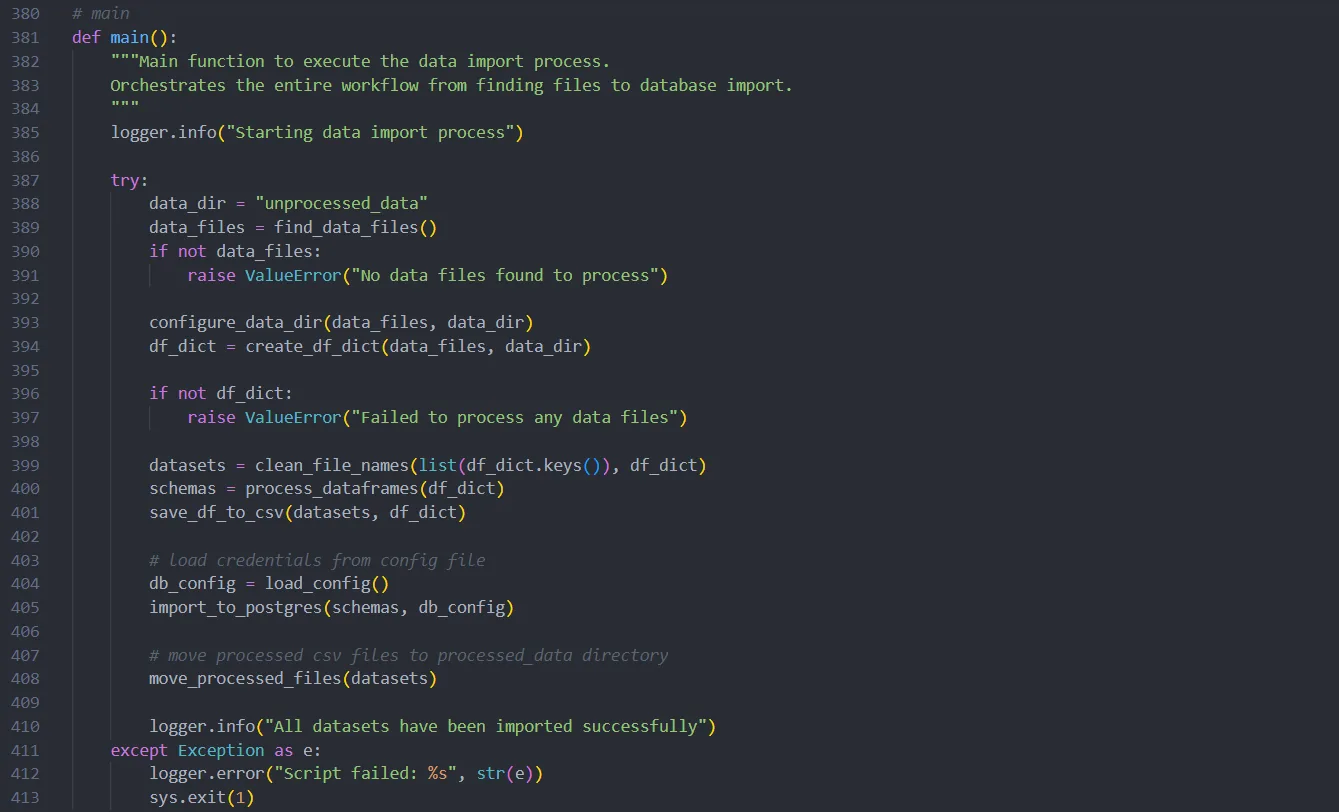
python main.pyThe script will:
- Move your original data files to an "unprocessed_data" directory
- Process each file and create appropriate dataframes
- Clean and standardize column names and file names
- Create database tables with appropriate schemas
- Import all data into your PostgreSQL database
- Move the processed CSV files to a "processed_data" directory
Sample data
The repository includes sample datasets in the sample_data directory that demonstrate the features of pgdatahub:
- Album-Records.json: A JSON file demonstrating how JSON structures are converted to database tables
- Customer Data & Info.csv: CSV file showing how special characters and spaces in headers are handled
- Product Sales & User Data.xlsx: Excel file with multiple sheets, demonstrating how each sheet becomes a separate table
These files showcase key features including:
- File and column name standardization (spaces and special characters → underscores)
- Turkish character transliteration (ö, ç, ş, ğ, ü, ı → o, c, s, g, u, i)
- Multi-sheet Excel processing
- Type mapping from source formats to appropriate SQL data types
To try out pgdatahub with these sample files, simply copy them to the root directory and run the script.
Logging
pgdatahub includes comprehensive logging that saves information about each run to a timestamped log file. The logs include details about file processing, data cleaning, and database operations, making it easier to troubleshoot any issues.